UsageMeter Link 0.8: UsageMeter for your PC, in a minute
Link 0.8 is the extension's PC version: a one-minute setup, UsageMeter inside Claude Desktop however you open it, and an optional Discord activity.
UsageMeter Link 0.8 turns Link into what it had become: the UsageMeter extension, PC version. It puts the extension inside the Claude Desktop app, counts Claude Code's tokens on every PC and shows your Claude limits in the Windows taskbar. Version 0.8 sets all of that up in about a minute, keeps UsageMeter inside Claude Desktop however you open it, and adds an optional Discord activity. Link is free; only the Windows alerts before a limit are Pro (see the plans).
How do I set up UsageMeter on my PC?
Three steps, on a Windows PC:
- Download UsageMeter Link from the download page and install it, or let an installed Link update itself to 0.8.
- In the welcome screen, click Sign in with the browser: usagemeter.app opens, one click there links the PC and brings you back. No code to copy; the 8-digit code is still there as a fallback.
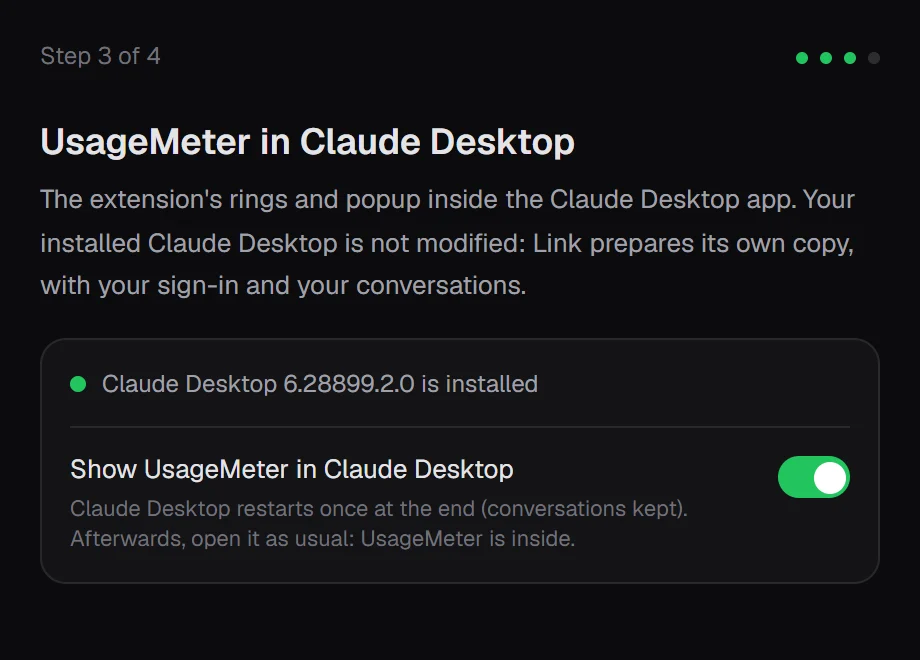
- If Claude Desktop is installed, Link finds it and offers Show UsageMeter in Claude Desktop, switched on. Claude Desktop restarts once at the end, with your conversations.
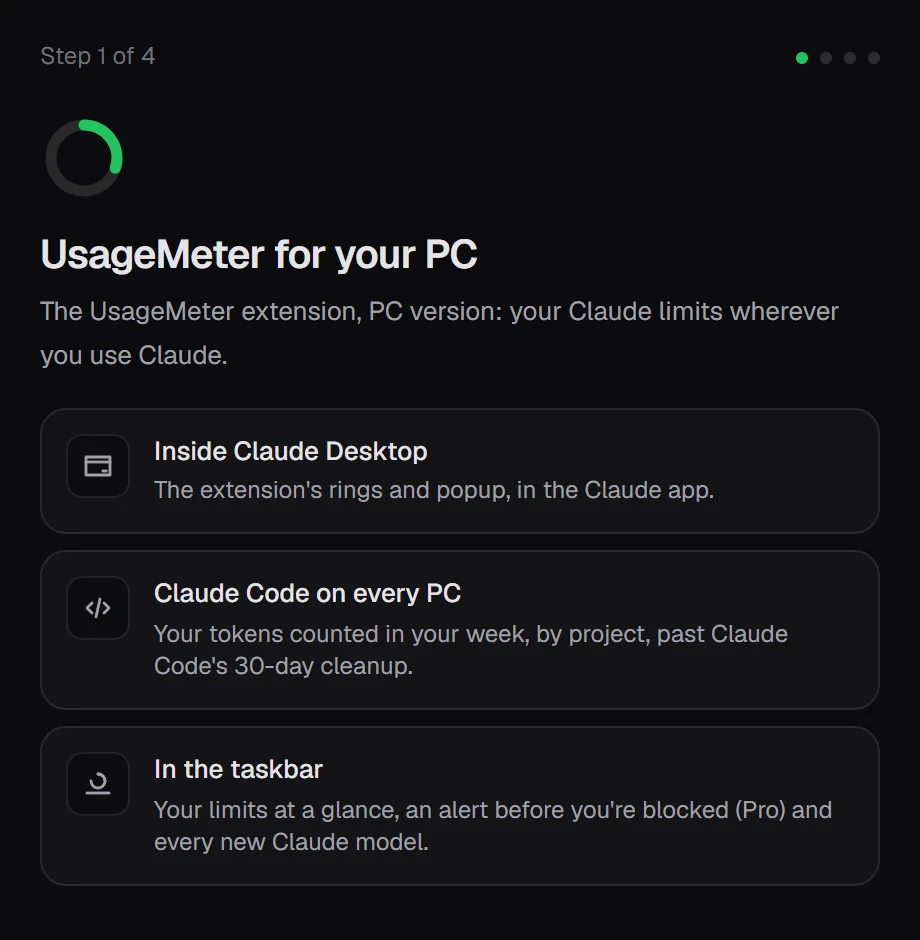
A last screen shows the Claude Code folders Link found, the Discord activity switch and the start with Windows, and you are done. Everything can be changed later in Link's Settings.
Does UsageMeter stay in Claude Desktop when I open it myself?
Yes, from 0.8. Link 0.7 put UsageMeter inside the Claude Desktop it opened; if you quit Claude Desktop and opened it again from the Start menu, it came back without UsageMeter. Now Link sees Claude Desktop start, closes it before its window shows and reopens it with the extension inside, on the same session, within a few seconds.
Link never closes a Claude Desktop you are already working in. If it was open before Link started, the dashboard says Claude Desktop is open without UsageMeter, with a Restart with UsageMeter button. The same card says when Claude Desktop is connected, closed, or getting ready after a Claude Desktop update.

Inside Claude Desktop you get the extension you know from Chrome, Edge or Firefox: the rings on the page and the popup, with every limit Claude reports for your account. Anthropic counts your use of claude.ai, Claude Code and Claude Desktop towards the same limits (How do usage and length limits work?), so these are the figures that count wherever you work.
What does the Discord activity show?
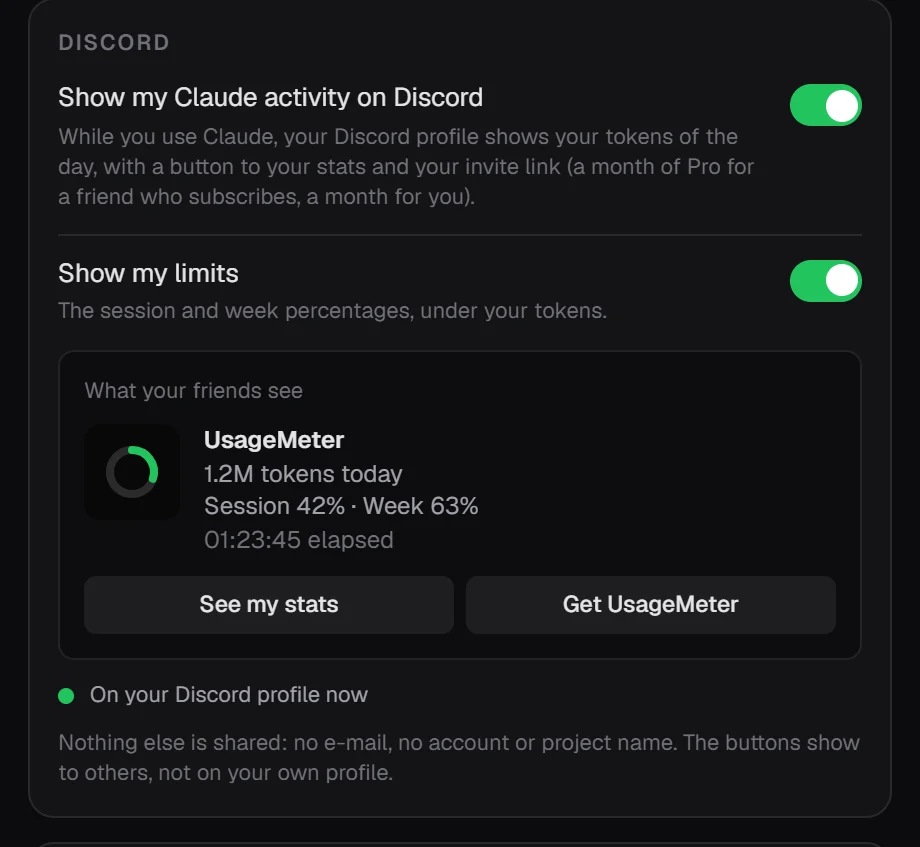
It is off until you turn it on, in the welcome screen or in Link's Settings. While you use Claude, your Discord profile shows your tokens of the day and, if you allow it, your session and week percentages, with the time spent. Two buttons go with it: your public UsageMeter page, when you turned it on, and your invite link. A friend who subscribes through it gets a month of Pro, and so do you.
 Sample data
The activity goes away after 20 minutes without use, and nothing else is shared: no e-mail, no account, project or PC name. Discord shows the buttons to the people who look at your profile, not to you.
Also in Link 0.8
Also in Link 0.8
Sign in with a pasted code
inside Claude Desktop, a code pasted with its space, the way the site shows it, is no longer cut short.
After a Link update
the open Claude Desktop keeps UsageMeter working, without a restart.
A new Claude window
it gets UsageMeter too.
Clearer Settings
Claude Desktop and Discord come first, right under your account.
Free and Pro
Everything in this release is free: UsageMeter Link, the setup, the Claude Desktop integration and the Discord activity. Pro adds the Windows alerts before you hit a limit and when it is back, and Claude Code's whole history beyond 7 days, among the rest of the plans.
FAQ
Does UsageMeter Link work on a Mac?
Not yet: UsageMeter Link is a Windows app and the download page offers Windows only. On a Mac, the UsageMeter browser extension shows the same rings and popup on claude.ai, and since Claude Desktop and claude.ai share the same limits, those are the figures that count.
Is my installed Claude Desktop modified?
No. Link prepares its own copy of Claude Desktop and opens that copy with the extension inside, on your usual session; the Claude Desktop you installed is not modified. Turn the switch off in Link's Settings and Link closes its copy, then reopens your usual Claude Desktop.
What do my friends see on Discord?
Only what the preview in Link's Settings shows: UsageMeter, your tokens of the day, your session and week percentages if you allow them, the time spent and the two buttons. No e-mail, no account, project or PC name, and nothing at all when the switch is off or after 20 minutes without using Claude.
Do I need a UsageMeter account?
To see your limits, your history on every device and the buttons of the Discord activity, yes: the welcome screen links the PC in one click, and a new account is created on the same page. Without an account, Link still counts Claude Code on the PC.
Sources
- Anthropic, How do usage and length limits work?, checked on 23 November 2026
- Anthropic, Claude Desktop documentation, checked on 23 November 2026
- Discord, Rich Presence overview, checked on 23 November 2026
- UsageMeter, download page: UsageMeter Link
- UsageMeter, privacy policy
What changed
- 23 November 2026: first published version.