UsageMeter Link 0.7: your Claude usage in Claude Desktop
UsageMeter Link 0.7 runs the UsageMeter extension inside the Claude Desktop app on Windows: the same rings and popup as in your browser, free.
UsageMeter Link 0.7 puts UsageMeter inside the Claude Desktop app on Windows. Turn on one switch in Link's Settings and Claude Desktop reopens with the same usage rings and popup as the browser extension, on your usual account. It is free, like Link; only the Windows alerts before a limit are Pro (see the plans).
How do I see UsageMeter in Claude Desktop?
Three steps, on a Windows PC where Claude Desktop is installed from claude.com/download:
- Install UsageMeter Link, or let an installed Link update itself to 0.7.
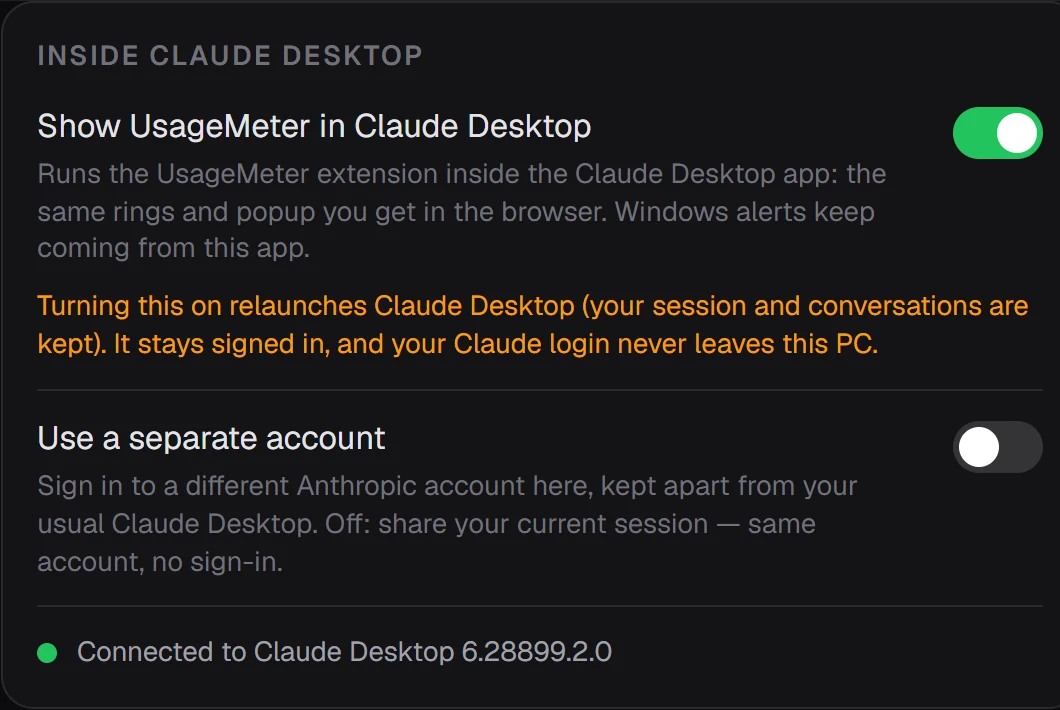
- Open Link's Settings and find Inside Claude Desktop.
- Turn on Show UsageMeter in Claude Desktop.
Claude Desktop closes and reopens a few seconds later, still signed in and with your conversations. A status line under the switch says when Link is connected, and which Claude Desktop version it found.
What do I get inside Claude Desktop?
The extension you know from Chrome, Edge or Firefox, running in the app: the rings on the page and the popup, with a gauge for every limit Claude reports for your account, the time left before each reset, your pace and the forecast. As in the browser, the forecast and today's budget are UsageMeter's estimates from your own readings, not figures from Claude.
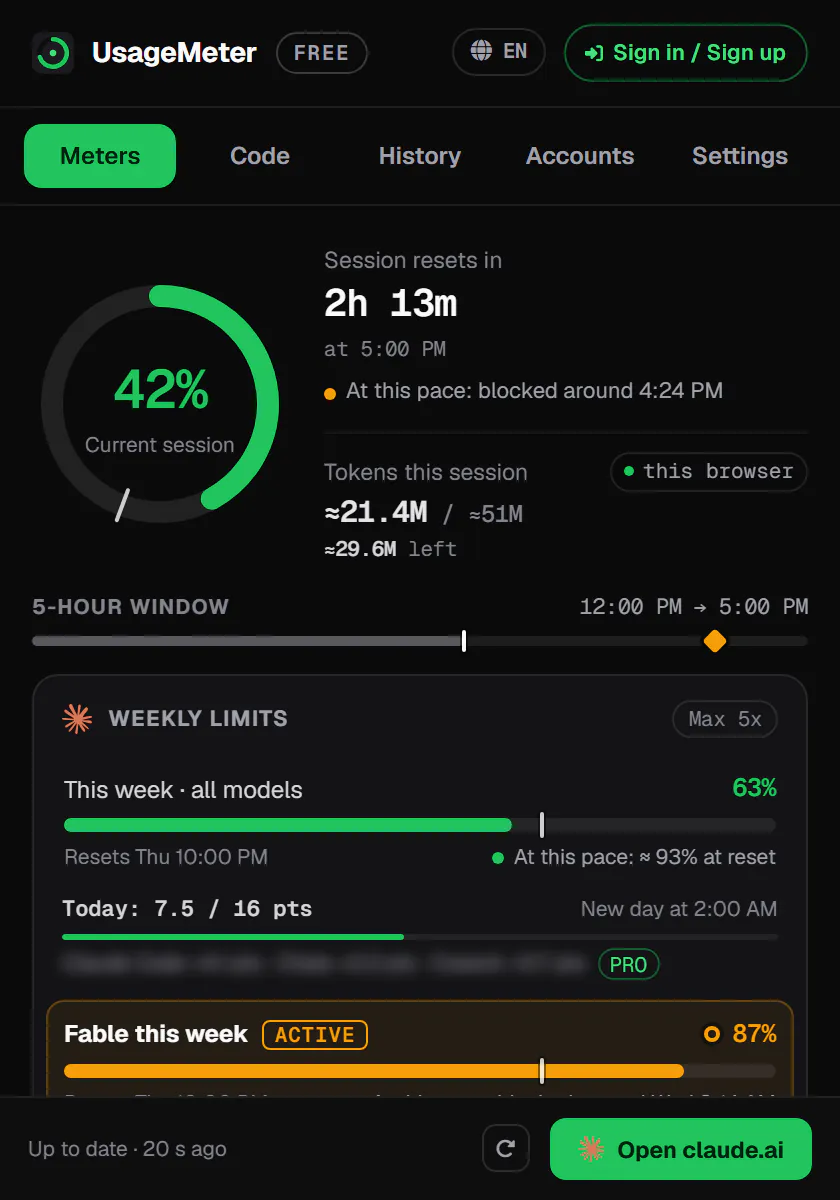
Claude Desktop already shows a usage ring of its own next to the model picker (Claude Desktop docs). UsageMeter adds the detail behind it, where you work. The figures are those of your whole account: Anthropic counts your use of claude.ai, Claude Code and Claude Desktop towards the same limit (How do usage and length limits work?). Our guide on how to check your Claude usage explains every gauge.
Does it change my Claude Desktop?
No. Link prepares its own copy of the app in its folder and opens that copy with the extension inside: the Claude Desktop you installed is not modified. By default the copy uses your current session, so Link closes your usual Claude Desktop while it runs. Turn the switch off and Link closes its copy and reopens your usual Claude Desktop.
When Claude Desktop updates, Link checks the new version before it opens it. If it does not recognise it yet, it leaves Claude Desktop as it is and says why in Settings until a Link update catches up, and Link updates itself.
Can I use another Claude account?
Yes. Under the main switch, Use a separate account gives the copy its own sign-in: you log in to a different Anthropic account there, and your usual Claude Desktop keeps running next to it, on its own account. Turn it off to share your current session again.
Also in Link 0.7
What comes with the switch:
Also in Link 0.7
Built in
the extension ships inside UsageMeter Link and updates with it.
Your sign-in stays on your PC
Link reads the copy's Claude session only so the extension can read your usage.
Alerts from LinkPro
Windows notifications before a limit and when it is back, never twice with the browser extension.
Replaces UsageMeter Desktop
the former separate app can be uninstalled.
Free and Pro
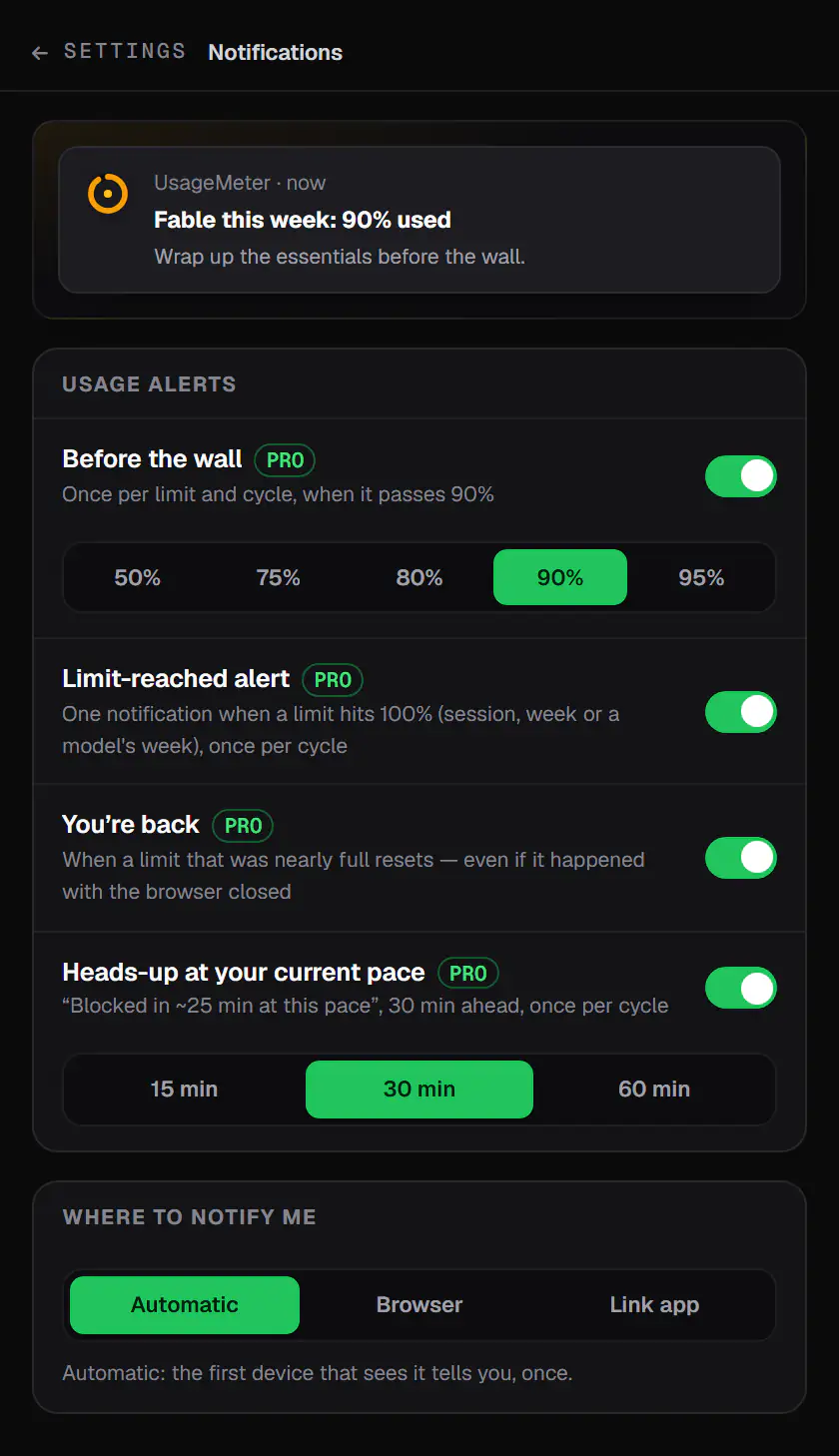
Everything in this release is free: UsageMeter Link, the switch and what the extension shows inside Claude Desktop. Pro adds the Windows alerts before you hit a limit and when it is back, among the rest of the plans. In the extension's notification settings, those alerts can go to the Link app, so they reach you whether you work in the browser or in Claude Desktop.
FAQ
Does UsageMeter work in Claude Desktop on a Mac?
Not yet. The Claude Desktop integration is part of UsageMeter Link, a Windows app: there is no macOS or Linux download. On a Mac, the UsageMeter browser extension shows the same rings and popup on claude.ai, and since Claude Desktop and claude.ai share the same limit, those are the figures that count.
Is my installed Claude Desktop modified?
No. Link prepares a copy of the app in its own folder and opens that copy with the extension inside, so the Claude Desktop you installed stays exactly as it was. Turn the switch off in Link's Settings and Link closes its copy, then reopens your usual Claude Desktop.
What happens when Claude Desktop updates?
Link checks each new Claude Desktop version before it opens it. If it does not recognise the update yet, it leaves your Claude Desktop alone and shows why in its Settings; the integration comes back once a Link update supports that version. Installed copies of Link update themselves, so there is nothing to download by hand.
Does UsageMeter read my conversations in Claude Desktop?
The extension works there as in your browser: it reads the open conversation on your device to count its tokens, but the text of your conversations never reaches UsageMeter's servers. Link reads the Claude session of its copy only so the extension can read your usage, and that sign-in never leaves your PC.
Sources
- Anthropic, How do usage and length limits work?, checked on 20 November 2026
- Anthropic, Claude Desktop documentation, checked on 20 November 2026
- UsageMeter, download page: UsageMeter in Claude Desktop
- UsageMeter, privacy policy
What changed
- 20 November 2026: first published version.