Measure
Install UsageMeter and sign in: the extension reads your Claude limits, UsageMeter Link (Windows) counts your Claude Code tokens.
Claude widgets
Badges and cards with your Claude Code tokens, your days with Claude, your streak and your trophies. Pick one, give it your style, see it live, copy the code for GitHub, your site, Notion or Obsidian.
Your Claude Code tokens over the last 7 days, all your PCs added up.
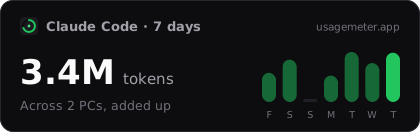 Demo data
[](https://usagemeter.app)Paste it in your profile README (the repository named after your GitHub username) or any README.
Widgets follow your usage within 5 minutes. GitHub shows README images through its own image cache, which can add a few minutes.
ProLonger ranges are part of UsageMeter Pro.
Six-digit hex colours over the theme. Empty: the theme’s own colour.
How it works
Install UsageMeter and sign in: the extension reads your Claude limits, UsageMeter Link (Windows) counts your Claude Code tokens.
In your account, switch on the widgets you want to show. Live limits and costs are separate opt-ins.
Copy the code into your README, your site, Notion or Obsidian. Switch anything off at any time.
Widgets show totals: never your e-mail, your Claude accounts, your projects or the names of your PCs. Your live limits and your costs stay private unless you switch their widgets on. One switch turns everything off, and a new link makes every old embed stop.
Get your own widgets: UsageMeter is free.
No. Six of the eight widgets are free, with six themes and every layout option (corners, border, title, compact form, sizes, languages). UsageMeter Pro adds the API-equivalent cost and the all-in-one card, 13 more themes, your own colours, 30-day and 26- or 52-week ranges, the arrival animation, cards without UsageMeter branding and a widget ID of your choice.
Yes. Pick a theme (dark, light, auto, transparent, GitHub dark and GitHub light are free), then the corners, border, title and compact form. With UsageMeter Pro, set your own accent, background, text and border colours. Save it all as your default style: links without options follow it.
Claude Code tokens, models and cost come from UsageMeter Link, the Windows companion app. Claude days, the streak and the live limits come from the browser extension, on any system.
Every widget follows your usage within 5 minutes, and switching one on or off shows on the next view. GitHub shows README images through its own image cache, which can add a few minutes.
Yes, in one click: switch a widget or the master switch off, or get a new link. Old embeds then show “Widget turned off”, never your figures, from their next view; an image cache such as GitHub’s can take a few minutes.
UsageMeter is an independent tool, not affiliated with Anthropic. Claude and Claude Code are Anthropic’s products.